Categories & Tags
Categories are the shelf a post sits on. Tags are the words written on its spine. Most sites need a handful of the first and a long tail of the second.
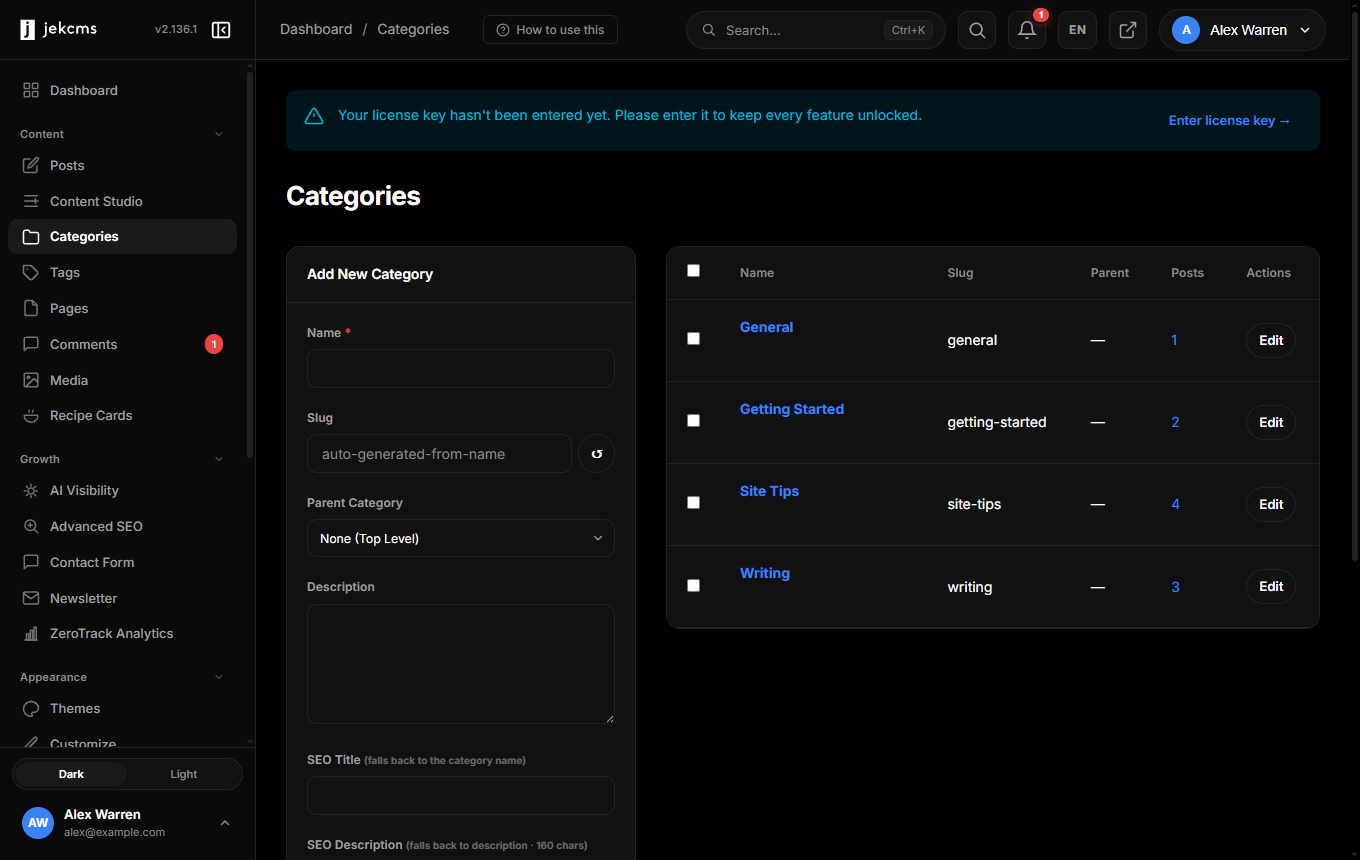
Creating one
Name and slug are the whole requirement; the slug generates itself from the name and stays editable, because a slug is a URL and URLs are hard to change later.
Parent Category builds a hierarchy. Recipes → Desserts gives you a nested archive and a breadcrumb that reads properly. Two levels is almost always enough; three is a sign the taxonomy needs rethinking.
Underneath sit two fields nobody opens and everybody should: SEO Title and SEO Description. A category archive is a real page that ranks - or does not. Left empty, the title falls back to the category name and the description to the category description. Filled in, the archive stops competing with your own posts for the same phrase.
There is also a category image, used in the homepage category band. A 512×512 square works best; without one, the band falls back to the initial letter.
One post, one naming category
A post can belong to several categories, but exactly one of them names it. That one decides the badge on the card, the breadcrumb, the Open Graph tag and the article schema - all from a single source, so the same post cannot show one category on the card and another on the page.
You set it in the editor by marking a category as primary. If you never think about it, the first one you assigned keeps the job.
Tags
Tags are flat - no parent, no hierarchy - and they exist for cross-cutting themes that do not deserve a shelf of their own.
Two habits keep them useful. Reuse rather than invent: five posts tagged docker are a useful archive, while five posts tagged docker, Docker, containers, container and dockerfile are five dead ends. And keep an eye on the count column - a tag with one post is not an archive, it is a page with one link on it.
By default, thin tag archives are kept out of search results entirely. The threshold lives under Settings → SEO, and it exists so that a tag you used once does not become a low-quality page competing with the post it points at.
Merging and cleaning up
Renaming a tag rewrites it everywhere it is used. Deleting one removes the association without touching the posts - the writing stays, the label goes.
When you merge two tags that mean the same thing, jekcms records a permanent redirect from the old archive URL to the new one, so an old link from elsewhere still lands somewhere real.
Related
- Posts Panel - bulk category changes live in the bulk actions menu
- SEO Status - thin-archive thresholds and what they do