Posts Panel
Everything you write passes through this screen. It is a list, but it does two things a plain list does not: it filters by state, and it carries each post's SEO score next to it.
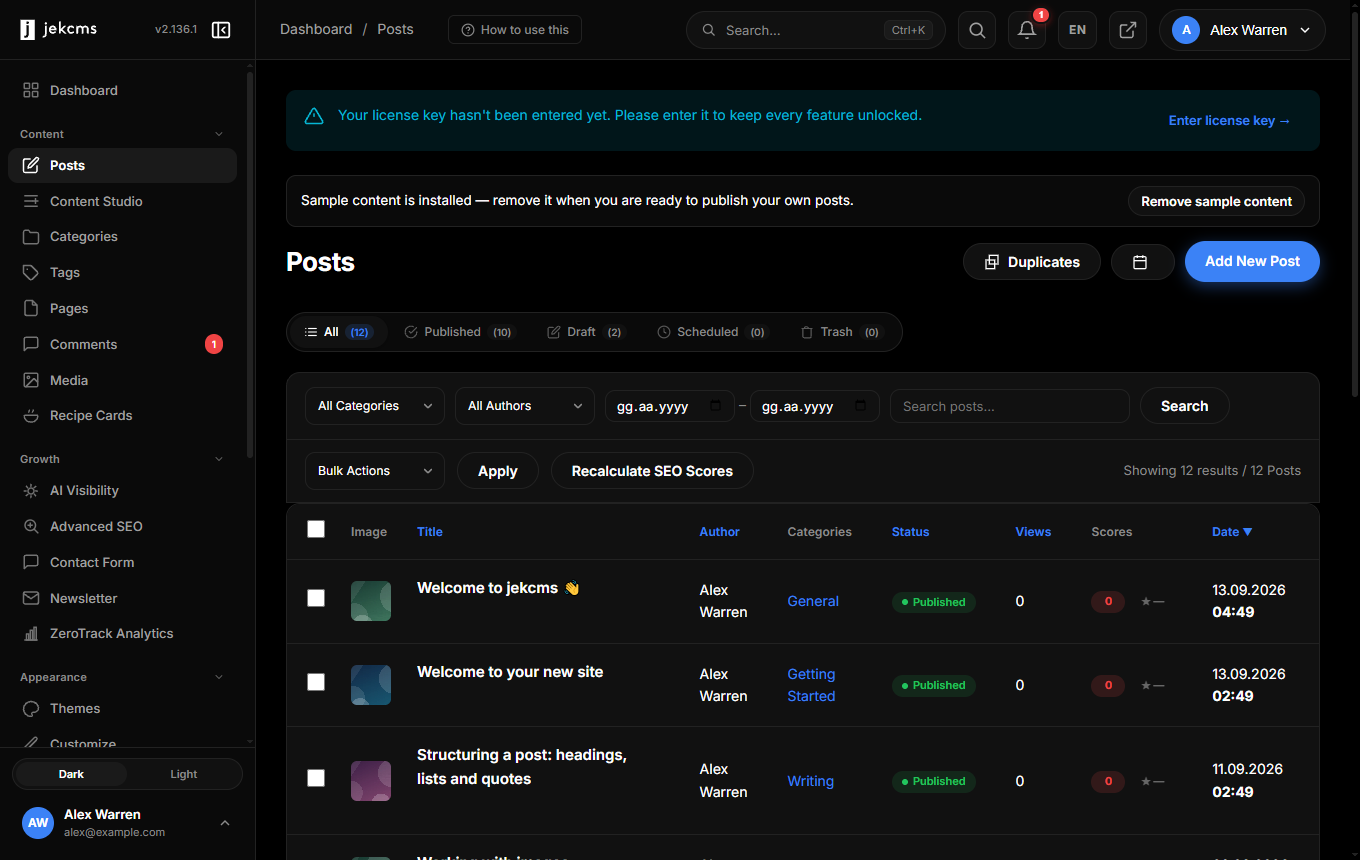
Finding the post you want
The row of counts above the table is the fastest filter you have: All, Published, Draft, Scheduled and Trash, each with a live number. Drafts that never got finished stop being invisible once you can see there are two of them.
Below that, narrow further by category or author, or search by title. On a site with one writer the author filter is dead weight; on a site with four it is the first thing you reach for.
What each row tells you
Beyond the title you get the featured image thumbnail, author, categories, status, view count, and the SEO score. That score is the same number the editor shows you while you write - it does not drift apart, because both come from the same engine.
The score column is the point of this screen. A post that slipped out at 40/100 does not quietly stay that way, because you see it in the list every time you come here. If scores look stale after a bulk import or a settings change, Recalculate SEO Scores runs them again in batches.
Each row carries Edit, View, Duplicate and Trash. Duplicate is more useful than it sounds: it is how you build a series without rebuilding the structure each time.
Doing things to many posts at once
Select rows and the bulk actions menu applies to all of them. Trash is the obvious one; the more valuable ones are the bulk category and status changes you would otherwise make twenty times by hand.
There is also a Duplicates screen linked from the top. It finds posts with near-identical titles or content - the kind of thing a half-finished import leaves behind.
Sample content
A fresh install seeds a handful of example posts so your theme looks complete from the first minute. A bar at the top of this screen offers to remove them, and it removes all of them in one go. Do it when your own writing is ready; there is no penalty for leaving it until then, because the sample posts are marked noindex and never reach search results.
Related
- Publishing Your First Post - the editor itself, step by step
- Categories & Tags - how the taxonomy behind that Categories column works