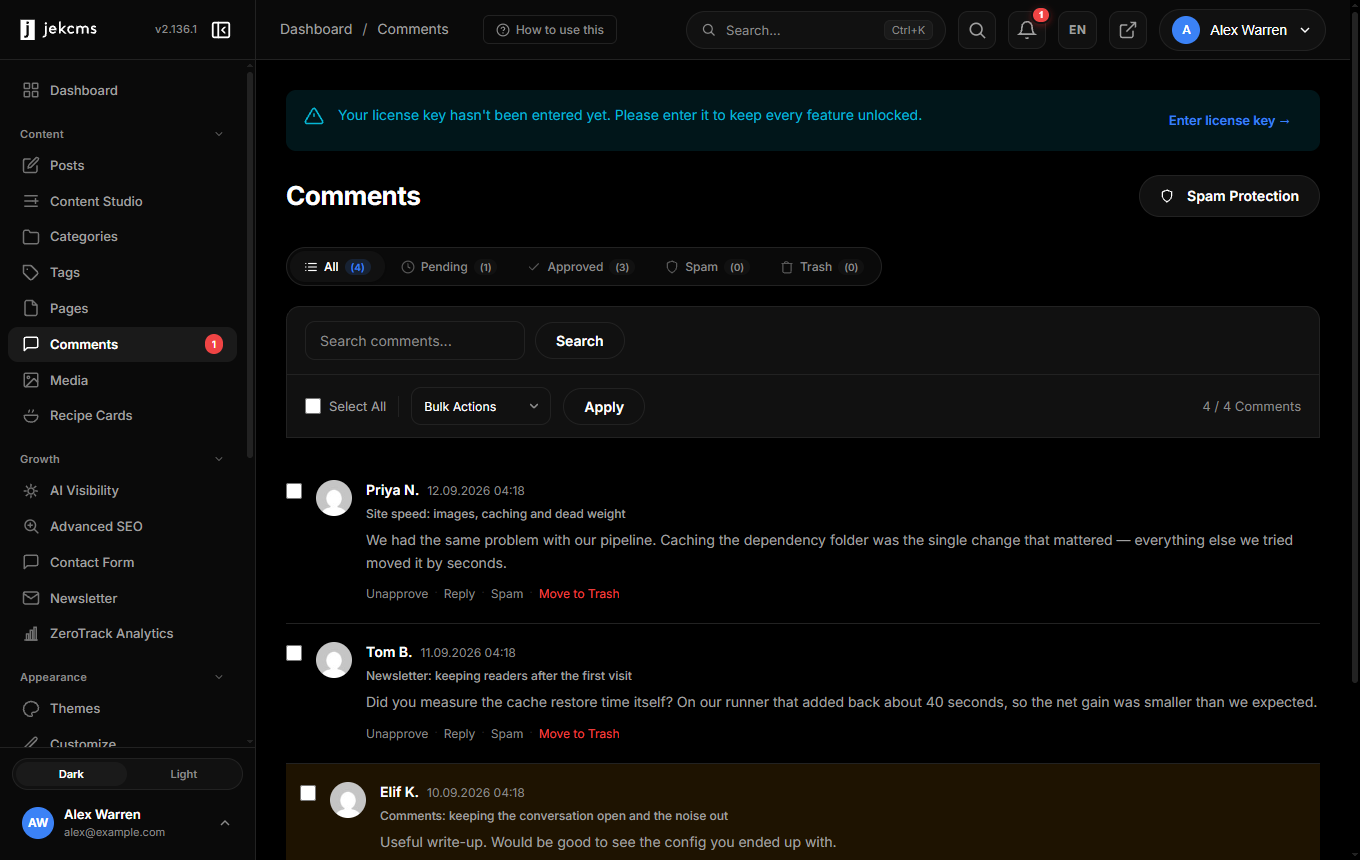
Comments

The comments panel (admin/comments.php) is mission control for every reader comment across the site. It handles moderation, spam filtering, notifications, and GDPR-compliant data export.

Dashboard tabs

Four status tabs with live counts:

  • Approved — Public, visible under the post
  • Pending — Awaiting moderation. Not visible to readers yet
  • Spam — Auto-flagged or manually marked. Hidden, retained for 30 days then auto-purged
  • Trash — Manually deleted. Purged after 7 days

Each tab has the same filter bar: search (matches author name, email, content), per-post filter, date range.

Bulk actions

Header checkbox selects the page; individual boxes for custom selection. The dropdown changes by tab:

  • Approve — Publish pending/spam comments
  • Mark as Spam — Moves to Spam tab and trains the filter on the content
  • Not Spam — Reverses a spam mark, re-trains the filter, moves to Approved
  • Move to Trash — Soft delete
  • Delete Permanently — Only in Trash

Re-classification (Spam/Not Spam) feeds back into the Bayesian filter, so the more you moderate, the better it gets at your site's specific spam patterns.

Spam filter

Three strictness presets configurable under admin/settings.php → Comments:

  • Low — Blocks only obvious spam (repeated URLs, known bad domains). Expect occasional spam to slip through
  • Medium — Default. Bayesian + link count + honeypot. Good balance
  • High — Aggressive. Holds anything with 2+ links, new-IP submitters, or borderline Bayesian scores. Expect occasional false positives — check the Pending tab daily

Custom rules

Under Comments → Filter Rules you can add:

  • Keyword blocklist — Case-insensitive, matches name/email/content/URL. One term per line
  • Email/IP allowlist — Trusted commenters whose comments auto-approve
  • Domain denylist — Author website domains that trigger spam automatically

Rules apply before the Bayesian filter, so a blocklist match wins instantly.

Per-post comment settings

In the post editor's right sidebar, the Discussion panel controls:

  • Allow comments — Open or closed for this specific post
  • Close after — Auto-close N days after publish (default inherits from settings)
  • Require sign-in — Only logged-in users can comment

Global defaults live under admin/settings.php → Comments and apply to new posts. Changing defaults doesn't affect already-published posts.

Nested replies

Threaded replies are on by default with a depth of 3. Change under Settings → Comments → Nested reply depth. Beyond 3 the UI gets narrow on mobile — 5 is the hard ceiling.

Each reply inherits moderation state from its parent only when approving from the UI; the spam filter still evaluates replies independently.

Notifications

Three separate toggles under Settings → Comments → Notifications:

  • Admin notify — Every new comment emails the admin address
  • Author notify — Post author gets emails for comments on their own posts (ignored if author == admin)
  • Reply notify — Commenters get an email when someone replies to them (opt-in checkbox shown at submission)

Emails use the SMTP settings from admin/settings.php → Integrations → Mailer.

Sign-in vs guest comments

jekcms supports both modes simultaneously:

  • Guest — Name + email required, website optional. Email isn't verified, but comments still go through spam filtering
  • Google OAuth sign-in — Verified identity, no spam filter held queue (still checked, but auto-approve threshold is more generous). Avatar pulled from Google profile

Enable Google sign-in under Settings → Integrations → Google OAuth (paste client ID + secret from Google Cloud Console). Existing guest comments aren't migrated — they stay guest-attributed.

GDPR

Every comment stores:

  • IP address (hashed after 30 days, full form retained briefly for abuse review)
  • Email (retained as long as the comment exists)
  • User agent (30-day retention)

Under Comments → Privacy you can:

  • Export by email — Zip of every comment + metadata for a given address (fulfills data subject access requests)
  • Erase by email — Anonymizes name/email/IP on every comment from that address; comment text is preserved for thread continuity, attributed to "Anonymous"
  • Bulk export CSV — Full dump of the comments table for backup or migration

Retention periods are configurable in Settings → Privacy but defaults align with common GDPR guidance.

Be the first to know

New features, release notes & CMS guides — a couple of emails a month, no spam.