Publishing Your First Post
You are logged in and the panel is empty. Let's write something real and put it on the site - a short post, start to finish, so you can see what jekcms does while you type.
Open the editor
From the sidebar, Content → Posts → Add New. (From anywhere in the admin, N does the same thing.)
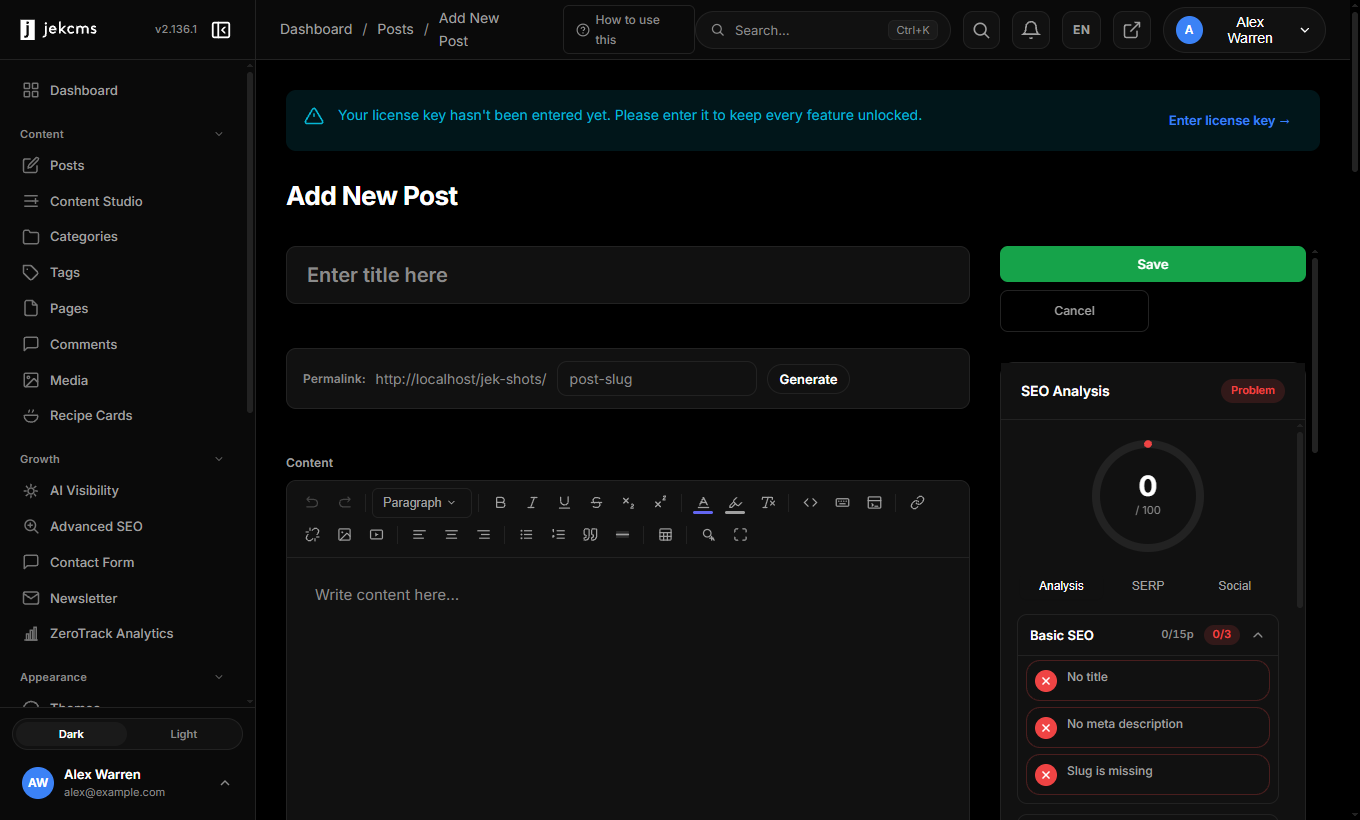
Three things are worth noticing before you type a single word.
The permalink row is empty but not idle - it fills itself from your title and stays editable, so you are never stuck with a slug you didn't choose.
On the right, the SEO panel already reads 0 / 100 and has opened a checklist: No title. No meta description. Slug is missing. It is not scolding you; it is telling you what it will be looking for. This panel updates as you type, not when you save.
And the toolbar above the content area is the whole editor - headings, links, lists, quotes, tables, code, images. There is no separate "block" mode to learn.
Write the post
Type a title, then click into the content area and write. Paste an image straight from your clipboard if you have one - it uploads, converts to AVIF and WebP, and keeps a fallback, without you leaving the page.
Here is the same editor a minute later:
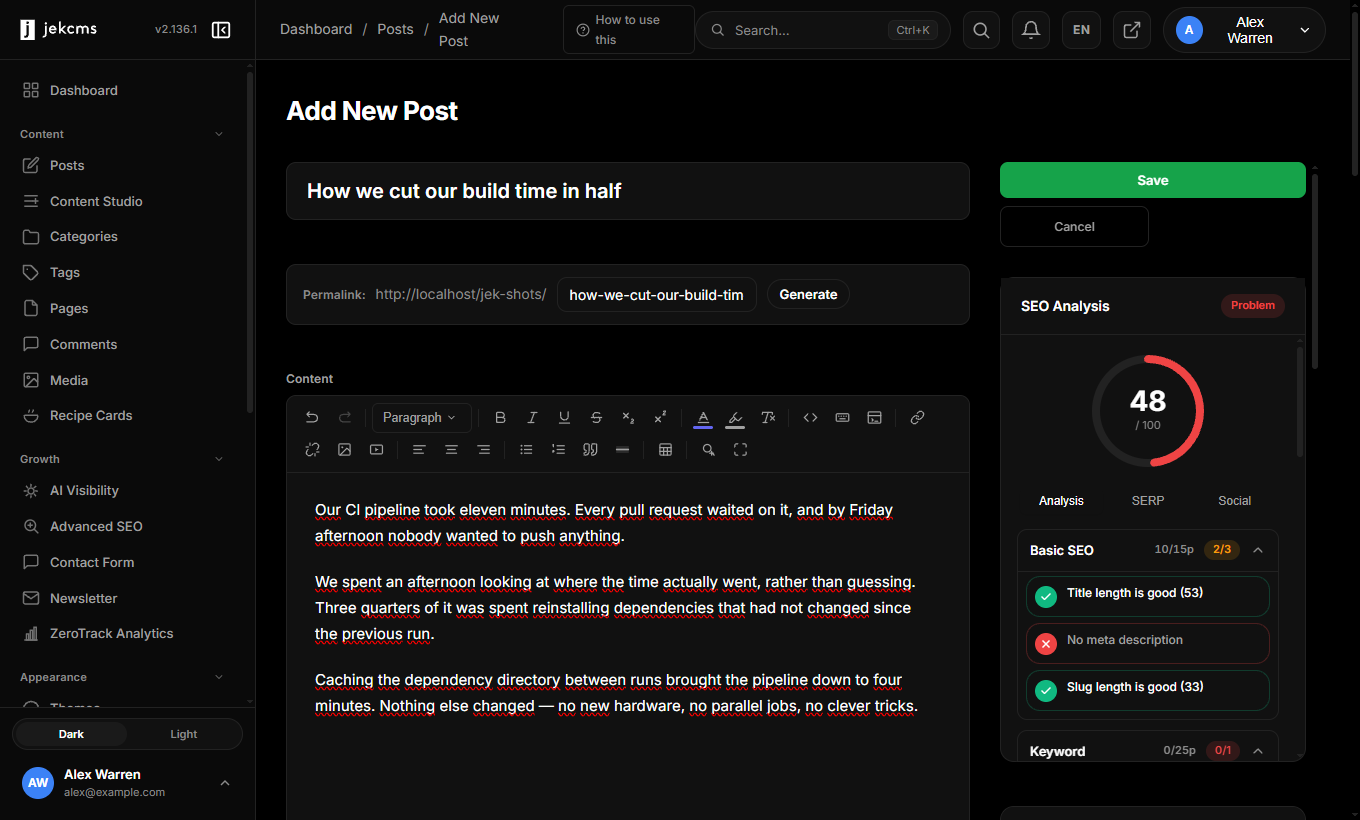
The permalink filled itself in: how-we-cut-our-build-tim…. The score climbed from 0 to 48. And the checklist changed its mind about two things:
- Title length is good (53) - green
- No meta description - still red
- Slug length is good (33) - green
That red line is the useful one. jekcms is not guessing that a meta description would be nice; it is telling you that search engines will write their own snippet for this post unless you give them one. You can fix it now in the SEO box, or let the AI write it for you if you have a key connected - but you are told before you publish, not three weeks later when the page underperforms.
Save it
Hit Save. The post is live at the permalink shown in the editor.
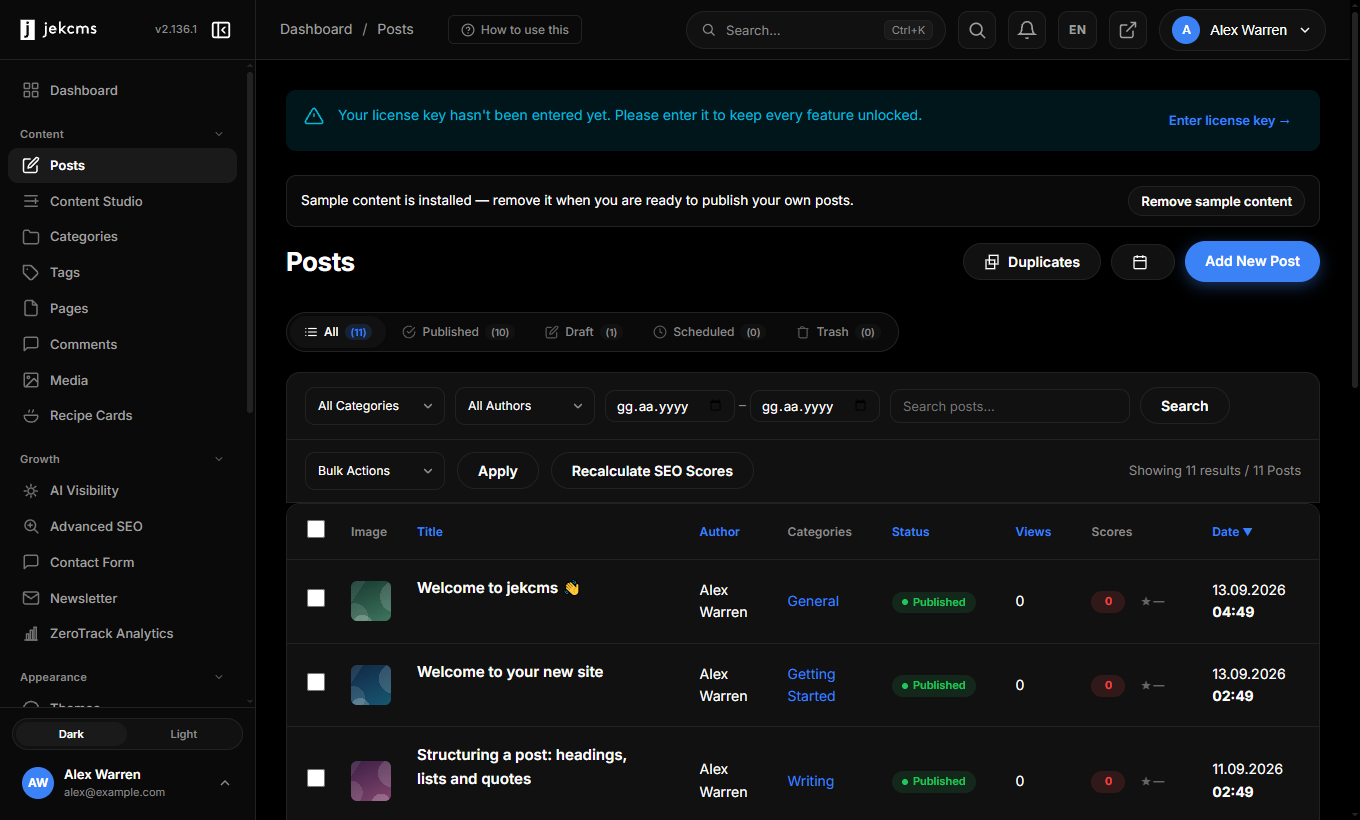
The list carries that score with every post, so a piece that slipped out at 40/100 does not quietly stay that way.
What to do next
Your post is published, but it is sitting in whatever category came with the install. Two small things are worth doing while the post is fresh:
Give it a category and a featured image. The category decides the badge on the card and the breadcrumb; the featured image is what appears in homepage cards, in Open Graph previews when someone shares the link, and at the top of the article. Both live in the right-hand column of the editor.
Write the meta description. It is the sentence Google shows under your title. Sixty to a hundred and sixty characters, written for a human deciding whether to click.
When you are ready to bring real content across, WordPress Import moves posts, pages, categories, tags, comments, authors and images in one run.