Creating a Theme
A jekcms theme is a folder of PHP and CSS. No build step, no framework, no generator - the router requires your template and whatever it echoes is the page.
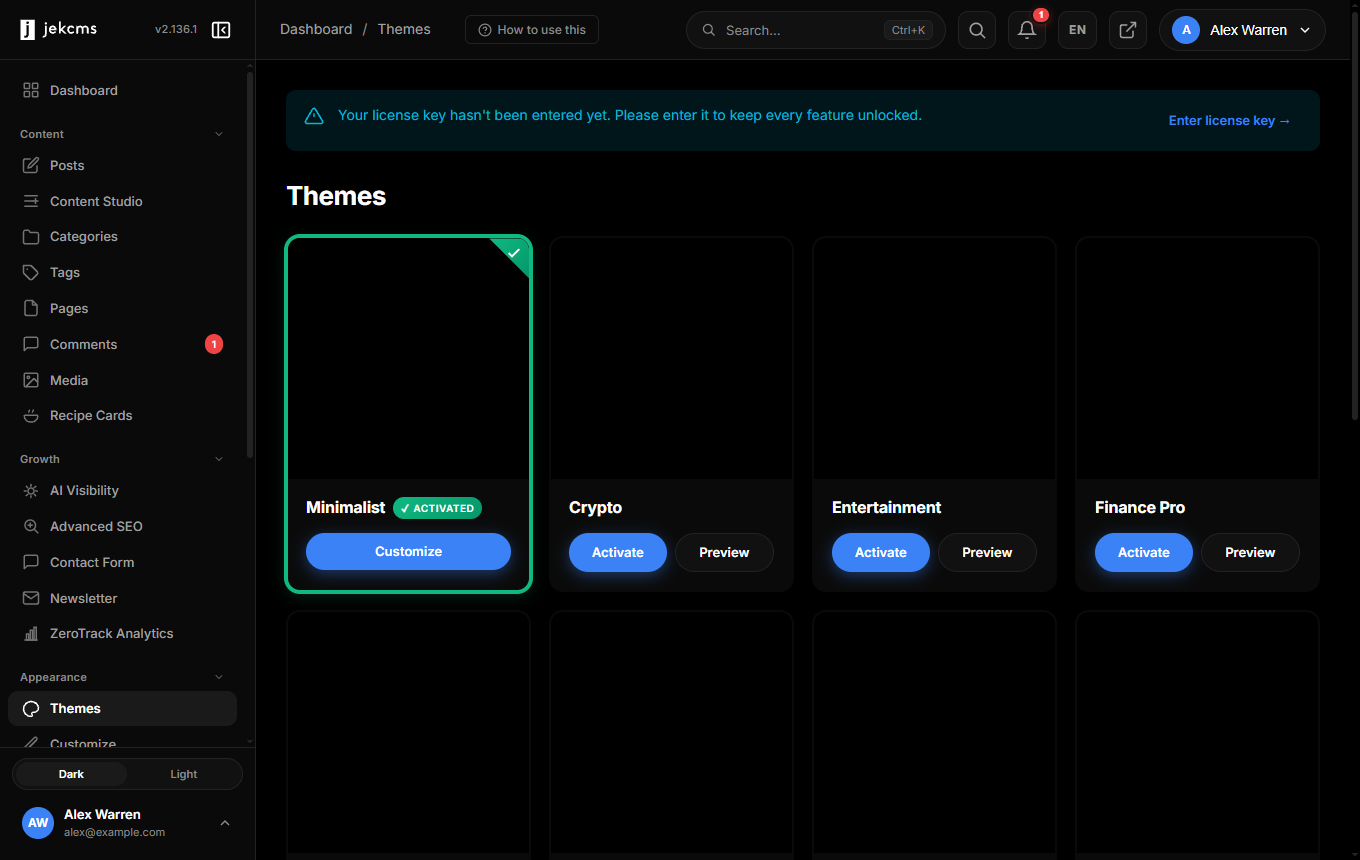
Before you start, one limitation to weigh. The Themes screen renders from a fixed registry of known theme slugs. A new folder in /themes/ is not picked up by the admin panel, and there is no ZIP upload and no way to register a slug from the UI, so a theme you write yourself cannot be offered or activated through Appearance → Themes. New themes reach an install through the signed update channel instead.
That makes this page a description of how the theme layer works - useful for reading the shipped themes, for editing a copy in a development install, and for anyone building a theme to be distributed with the product - rather than a route to a theme you can install on a customer site this afternoon.
Anatomy
themes/my-theme/
  theme.json          manifest and customizer schema
  functions.php       loaded automatically on every request
  activate.php        optional, runs once when the theme is activated
  screenshot.png      card image
  templates/
    header.php  footer.php
    index.php   single.php  page.php  archive.php  search.php
    errors/404.php
  partials/
    post-card.php  pagination.php  sidebar.php  comments.php
  sections/
    hero.php  latest.php
  assets/
    css/style.css
Only templates/index.php is genuinely required - it is what the activation check parses. Everything else is convention that the router and the layout engine rely on.
The manifest
{
    "name": "Ocean",
    "slug": "ocean",
    "version": "1.0.0",
    "author": "Your Name",
    "description": "A clean coastal theme.",
    "screenshot": "screenshot.png",
    "supports": { "card_options": true, "share_styles": true }
}
The slug the system uses is always the folder name; the slug key in the file is documentation, never read. See the theme.json reference for the keys that actually do something.
How the router picks a template
Templates live under templates/, and the router requires them by name against the active theme: index.php for the homepage, single.php for a post, page.php for a page, archive.php for category, tag, author and date archives, search.php for search results. Error pages resolve as templates/{code}.php first and templates/errors/{code}.php second, so 404.php can live in either place.
header.php and footer.php are not router-resolved. Templates include them themselves, which is why every shipped template starts and ends the same way:
<?php
require_once dirname(__DIR__) . '/functions.php';
include __DIR__ . '/header.php';
// …
include __DIR__ . '/footer.php';
What is in scope
The router publishes very little, and it publishes it through $GLOBALS rather than through local variables. On a post or page, $GLOBALS['post'] holds the full row joined with the author's name, slug and avatar. On an archive, $GLOBALS['archive_type'] and $GLOBALS['archive_slug'] say which archive you are on, with archive_year and archive_month on date archives.
On the homepage, nothing is injected at all. templates/index.php queries for what it needs. There is no $GLOBALS['posts'] waiting for you - every shipped theme builds its own list, which is why archive templates open with their own SELECT.
<?php
require_once dirname(__DIR__) . '/functions.php';

$post = $GLOBALS['post'] ?? null;
if (!$post) { http_response_code(404); /* … */ return; }

include __DIR__ . '/header.php';
?>
<article class="post">
    <h1><?= e($post['title']) ?></h1>
    <div class="post-content"><?= render_content($post['content']) ?></div>
</article>
<?php include __DIR__ . '/footer.php'; ?>
Use e() for escaping - it is the project's short form of htmlspecialchars.
The head, the part that matters
A theme's header.php is where most of the product plugs into the page. The shipped set calls, in order: get_meta_title() for the <title>, output_robots_meta() for the indexing directives, output_canonical_tag(), output_theme_custom_fonts() for the fonts the customizer selected, theme_asset() for the stylesheet, output_theme_customization_css() for the generated CSS variables, then output_og_tags(), output_schema(), output_favicon_tags() and output_seo_head().
Skip output_theme_customization_css() and the entire customizer stops reaching the page - every colour, font, width and studio setting is emitted from that one call. Skip output_robots_meta() and post-level indexing rules silently stop working.
Content is rendered with the theme's own render_content(), not by printing $post['content']: that is where shortcodes are resolved, in-content boxes are injected and lazy-loading is applied.
functions.php
The active theme's functions.php is loaded automatically on every request, and templates also require it themselves so a template included out of band still has it. Three constants are defined by then - THEME_PATH, THEME_URL and THEME_VERSION.
Each theme defines its own small set of local helpers in this file rather than inheriting them: theme_asset() (prefixes assets/ and appends a filemtime cache buster), theme_config() and theme_setting() (read the static settings block of theme.json), theme_supports(), render_content(), render_pagination() and get_body_classes(). If you copy a theme, copy its functions.php with it - these are not core functions.
Partials and sections
partials/ holds the pieces you reuse: a post card, pagination, a sidebar, the comment block. Include them directly; a partial inherits the caller's scope, so $post inside a foreach is visible without being passed.
sections/ is different. Those files are the homepage blocks the customizer lets people reorder and switch off, rendered by the layout engine rather than included in a fixed order. A theme's index.php asks the engine to draw the page and falls back to a default sequence only if the engine is unavailable.
One rule matters more than the rest here, because breaking it produces a bug that is nearly impossible to find: an included file runs in the caller's scope. A partial that assigns to $post, $posts, $categories, $tags or $counts silently overwrites the calling template's variable. Prefix anything a partial creates.
Hooks
do_action('wp_head') and do_action('wp_footer') exist and work - core registers listeners on wp_footer for the integrity watermark and the analytics trackers. They are optional, and most shipped themes do not call them; three do. If your theme is meant to host third-party snippets, call both.
Note that apply_filters() exists as a stub and returns its input unchanged. Do not build on it.
Next
Once your theme renders, give it a customizer schema so its colours, fonts and layout become editable without touching files: Theme customization explains the mechanism, and the theme.json schema lists every key.