Posts API
Everything under /api/v1/posts needs a valid API key, and every write is checked against the key's role. See API Authentication for how that works.
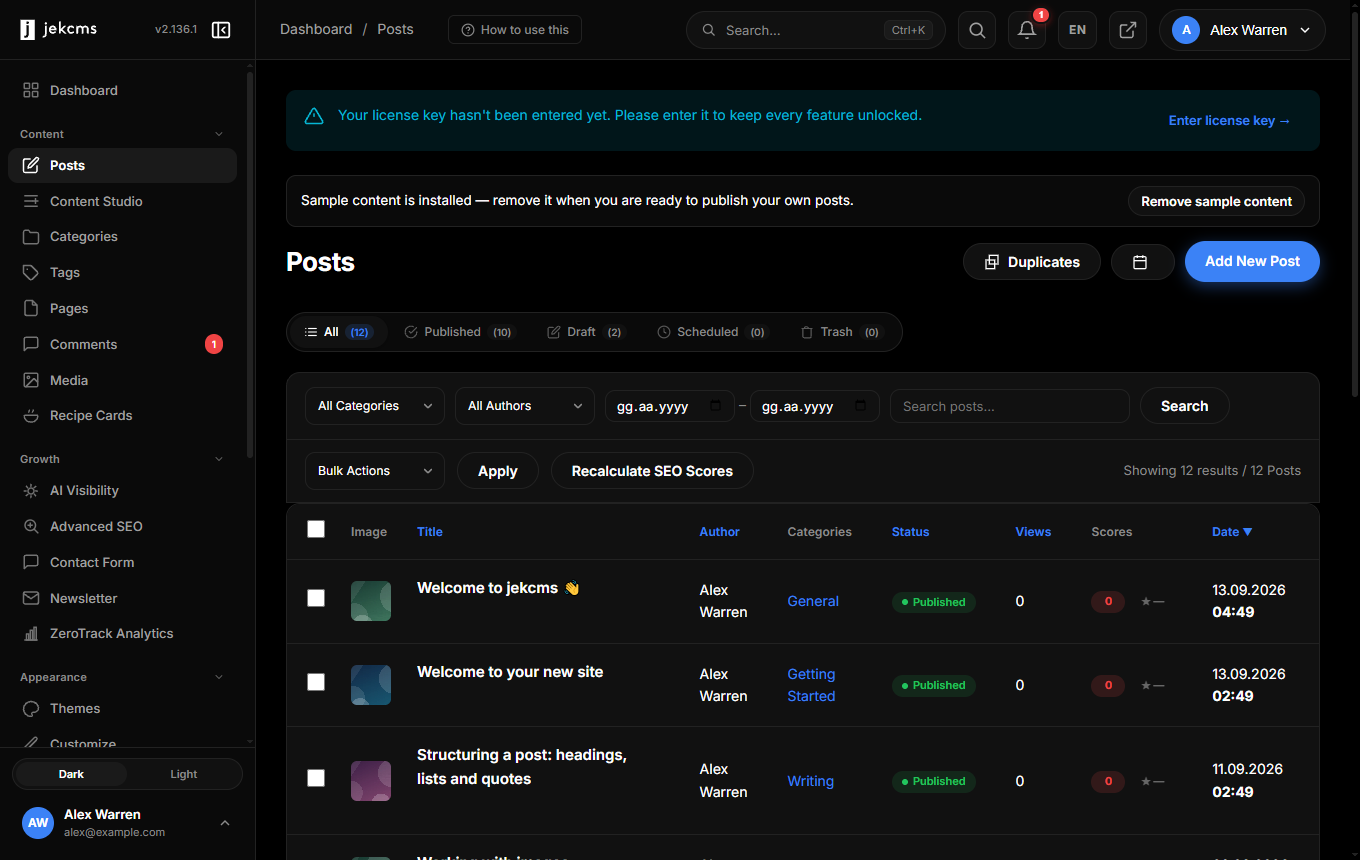
Listing posts
GET /api/v1/posts returns a page of posts. Filters go in the query string and are passed straight to the post query, so nothing is silently dropped and nothing is silently added.
curl -H "X-API-Key: YOUR_TOKEN" \
  "https://yoursite.com/api/v1/posts?status=published&category=nutrition&per_page=50"
status takes one of published, draft, scheduled, pending or trash. type separates post from page. category and tag take a slug, and a category filter also matches that category's direct children. author_id takes a numeric user id. search runs against title and content - through the full-text index where one exists, falling back to a LIKE scan for short queries. date_from, date_to and updated_before accept datetime strings, and featured=1 narrows to posts flagged as featured.
Sorting is order_by plus order_dir. Only id, created_at, updated_at, published_at, title, view_count, status and author_name are accepted; anything else silently falls back to id. Default order is created_at descending. Note the underscore: it is order_dir, not order.
Paging is page (1-indexed) and per_page, which is clamped to 100. Adding with_relations=1 loads each post's categories and tags in one batched query instead of leaving them out.
The response envelope is the same as everywhere else - a success flag around a data object:
{
    "success": true,
    "data": {
        "items": [
            {
                "id": 123,
                "title": "10 high-protein breakfasts",
                "slug": "high-protein-breakfasts",
                "status": "published",
                "type": "post",
                "excerpt": "Start your day with…",
                "content": "<p>…</p>",
                "featured_image": "images/2026/04/cover-8f3a12c4.avif",
                "author_id": 1,
                "author_name": "Ada Lovelace",
                "reading_time": 6,
                "view_count": 412,
                "published_at": "2026-04-10 09:00:00",
                "created_at": "2026-04-08 11:20:00",
                "updated_at": "2026-05-02 14:22:00",
                "content_modified_at": "2026-05-02T14:22:00+03:00",
                "reviewed_at": null,
                "review_valid": true,
                "editorial": {
                    "ai_disclosure": null,
                    "original_notes": null,
                    "sources": [],
                    "ymyl": false
                }
            }
        ],
        "total": 237,
        "pages": 5,
        "current_page": 1,
        "per_page": 50
    }
}
Which date means what
Four timestamps travel with every post and they are not interchangeable. published_at is stamped once, at first publish, and stays put. content_modified_at moves only when reader-facing content changes, which is why sitemap lastmod and structured-data dateModified read from it - this is the field to watch when you are syncing an external cache or index. reviewed_at records the last editorial review and stays null until somebody marks the post reviewed. updated_at is a system touch: view counters, cache rebuilds and bulk SEO jobs all move it, so it is a poor proxy for "the article changed".
Alongside them, review_valid compares the current content against the hash captured at approval: true means nothing changed since, false means it did, null means the post was never approved through the publish policy. The editorial block carries the AI disclosure, original-contribution note, source list and YMYL flag as stored on the post.
Reading one post
GET /api/v1/posts/{id} takes a numeric id. Slugs are not resolved on this endpoint - a slug in the path becomes 0 and returns 404. If you only have a slug, list with ?search= or query by slug through the MCP server's get_post tool.
GET /api/v1/posts/{id}/revisions returns the stored revision history for that post.
Creating a post
curl -X POST https://yoursite.com/api/v1/posts \
  -H "X-API-Key: YOUR_TOKEN" \
  -H "Content-Type: application/json" \
  -d '{
        "title": "My new post",
        "content": "<h2>Hello</h2><p>This is the body…</p>",
        "status": "draft",
        "categories": [3],
        "tags": ["protein", "breakfast"],
        "seo": { "meta_title": "…", "meta_description": "…", "focus_keyword": "high protein breakfast" }
      }'
title and content are both required and both must be non-empty strings; anything missing comes back as 400 naming the offending fields. The field is content, not content_html or content_markdown - but a Markdown body is accepted, because incoming content is normalised to HTML before it is stored. It is also sanitised: the API is treated as an untrusted channel, so scripts, event handlers and executable URLs are stripped while headings, lists, tables, images, links and video embeds survive.
The rest is optional. slug is generated from the title if you omit it and is made unique either way. excerpt is derived from the body when empty. status defaults to draft; scheduled_at moves a post to the scheduled state. featured_image takes a stored media path. type is post or page. visibility, password, comment_status and is_featured map to the matching post fields.
Categories take IDs on this endpoint. "categories": [3, 7] works; "categories": ["nutrition"] is discarded, because non-numeric values are filtered out before the relation is written. Tags are more forgiving: names are matched against existing tags and created when they do not exist. If you want to pass category names, use the webhook action POST /api/v1/webhook/draft, which finds or creates them.
The seo object writes to the SEO table and accepts meta_title, meta_description, focus_keyword, canonical_url, robots, og_title, og_description, og_image, schema_type and schema_data. Omit the object entirely and jekcms fills the SEO row in automatically from the content.
A successful create returns the new id together with the full post:
{ "success": true, "data": { "success": true, "id": 812, "post": { "id": 812, "…": "…" } } }author_id is accepted only from admin and editor keys. An author key that sends one has it stripped, so a byline cannot be forged.
Updating a post
PUT or PATCH on /api/v1/posts/{id} behaves the same way, and both are partial: send only the fields you want to change. The response carries the refreshed post.
curl -X PATCH https://yoursite.com/api/v1/posts/812 \
  -H "X-API-Key: YOUR_TOKEN" -H "Content-Type: application/json" \
  -d '{"status": "published"}'
One behaviour to know about: if the post is already published, every update runs through the quality gate even when you do not send a status. The effective status is what counts, not the field you happened to include.
Publishing and scheduling
Two sub-actions exist for posts that already have a row:
POST /api/v1/posts/{id}/publish flips an existing post to published and runs the gate. POST /api/v1/posts/{id}/schedule with {"scheduled_at": "2026-06-01 09:00:00"} sets the future timestamp; the gate runs later, when the scheduler actually publishes the post, not at the moment you schedule it.
The quality gate
Any request that intends to publish goes through the publish policy first. If it is refused, nothing is written and the response is 422:
{
    "success": false,
    "error": "quality_gate",
    "blocks": [
        { "code": "short_content", "message_tr": "…", "message_en": "Content is too short (612/1500 characters)." }
    ]
}
Blocking reasons include short_content (below the configured minimum, 1500 characters by default), short_title, duplicate_title, similar_title, similar_content, broken_local_image and, on YMYL posts, ymyl_no_sources and ymyl_no_reviewer. Missing cover images, missing internal links and missing H2 headings are warnings, not blocks - they do not stop a publish.
Drafts and scheduled posts skip the gate entirely, which makes "create as draft, fix, then publish" the reliable automation pattern.
Deleting a post
DELETE /api/v1/posts/{id} moves the post to trash: the row survives, the status becomes trash, and caches are purged so the page stops being served. Add {"force": true} to the body for a permanent delete.
{ "success": true, "data": { "success": true } }Status codes
| Code | When | |---|---| | 200 | Read, update or delete succeeded | | 400 | Missing title/content, malformed JSON body, missing post id | | 401 | Missing, unknown, inactive or expired API key | | 403 | The key's role lacks the capability, or an author reached for someone else's post | | 404 | No post with that id | | 405 | Method not supported on that path | | 422 | The publish quality gate refused the request | | 429 | Over the per-IP hourly rate limit | | 500 | Server error - the message carries a reference id that matches the server log line |
Error bodies use the standard envelope, {"success": false, "error": {"code": …, "message": …}}, with the single exception of a gate refusal, which returns the blocks array shown above.